What you’ll do
Run our Literacy evaluators on some text to evaluate it for a given grade level.| Method | When to use |
|---|---|
| Evaluators Playground | For a quick demo of how evaluators work |
| SDK | To integrate into your TypeScript or Python project |
| Python notebooks | For quick prototyping |
What you’ll need
- Text you want to evaluate
- Grade level of the intended audience
- API keys required by the evaluators you want to use Not required for Evaluators Playground
Required API keys
By default, each evaluator uses a provider and model that we have tested for reliability for that task. As a result, different evaluators require different API keys.| Evaluator | Required API key(s) |
|---|---|
| Literacy evaluators (except for Vocabulary and Sentence Structure) | |
| Vocabulary | Google and OpenAI |
| Sentence Structure | OpenAI |
| Feedback evaluators | OpenAI |
| Standards evaluators | Anthropic |
Steps
- Evaluators Playground
- SDK
- Python notebooks
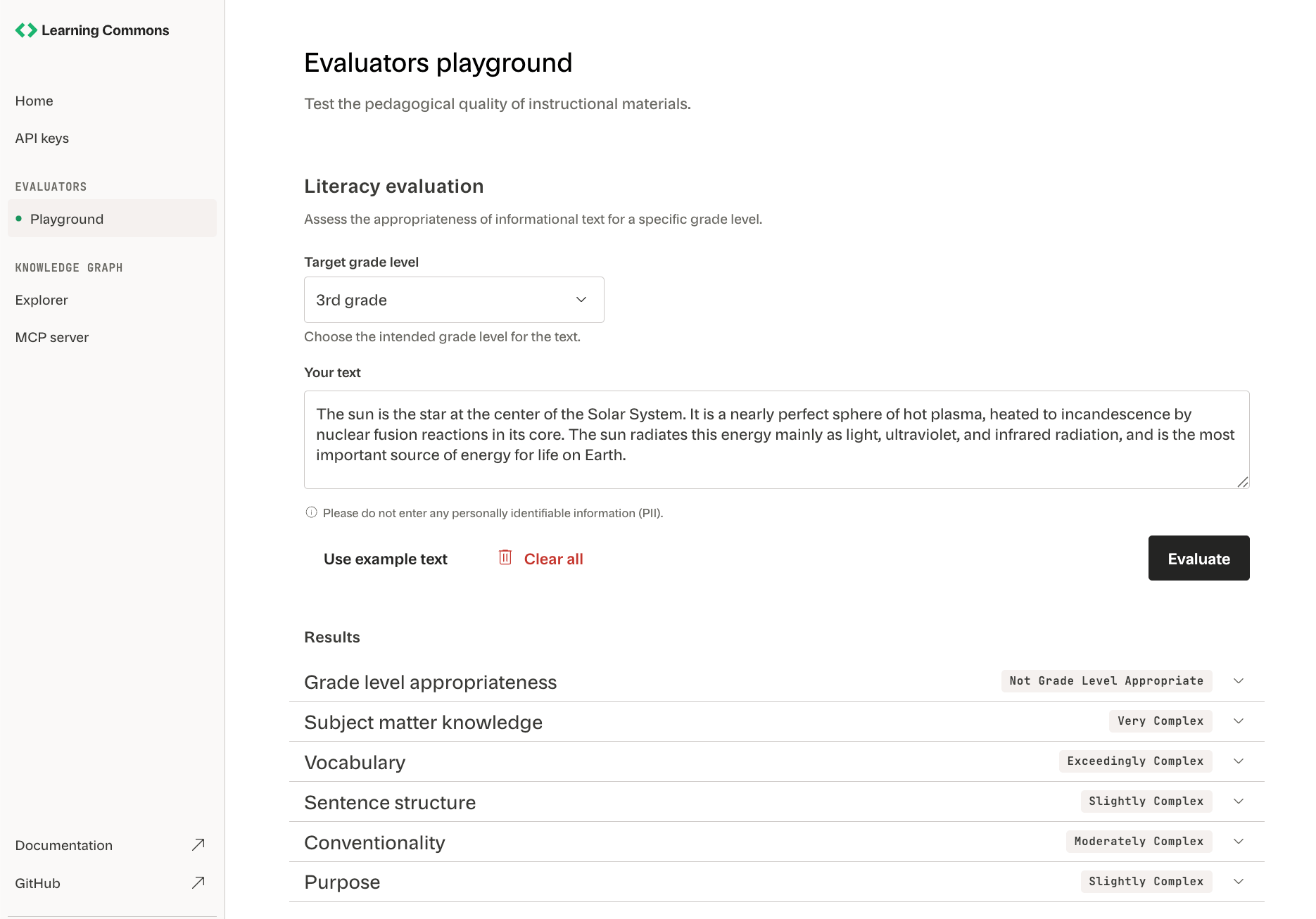
The Evaluators Playground ↗ is the easiest way to see our evaluators in action.The Evaluators Playground is primarily a demo. Check out the SDK or Python notebooks when implementing evaluators into your automated processes.
Run the evaluators
Click Evaluate to run our Literacy evaluators on your text.
View results
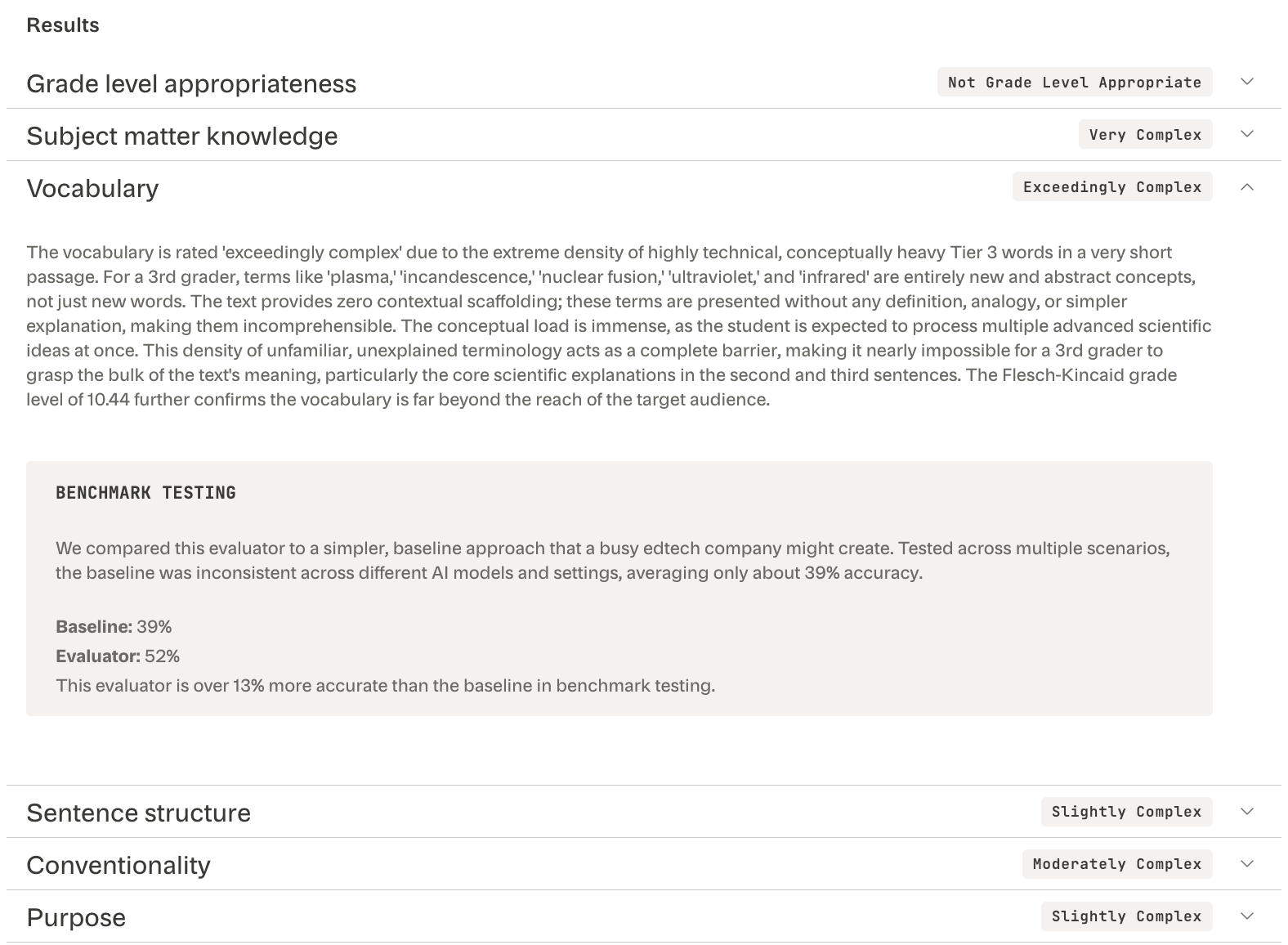
Expand each evaluator’s results to see its:
- Text complexity score (e.g., “Exceedingly complex”)
- Reasoning (e.g., “conceptually heavy Tier 3 words”)
-
Performance relative to a minimal baseline prompt (e.g., “13% more accurate”)